Arrange round tables, banquet tables or seat rows, add your guest list, then click to seat everyone. Built for weddings, classrooms, exam halls, conferences and parties — no sign-up, no downloads.
Every event seats people differently. Pick the closest match to start with sensible defaults — you can rearrange everything afterwards.
Round or rectangular tables for receptions, banquets and parties. Balance both families and keep guests happy.
Plan a wedding chart → 🏫Rows or desk pods for students. Great for behaviour management and quick substitute-teacher hand-offs.
Plan a classroom chart → 📝Spaced rows with one click to randomize seating and reduce the chance of copying between students.
Plan an exam layout → 🎭Theater-style rows or banquet rounds for talks, screenings, galas and community gatherings.
Plan an event layout →An actual walkthrough of the planner — these are real screenshots, not mockups.
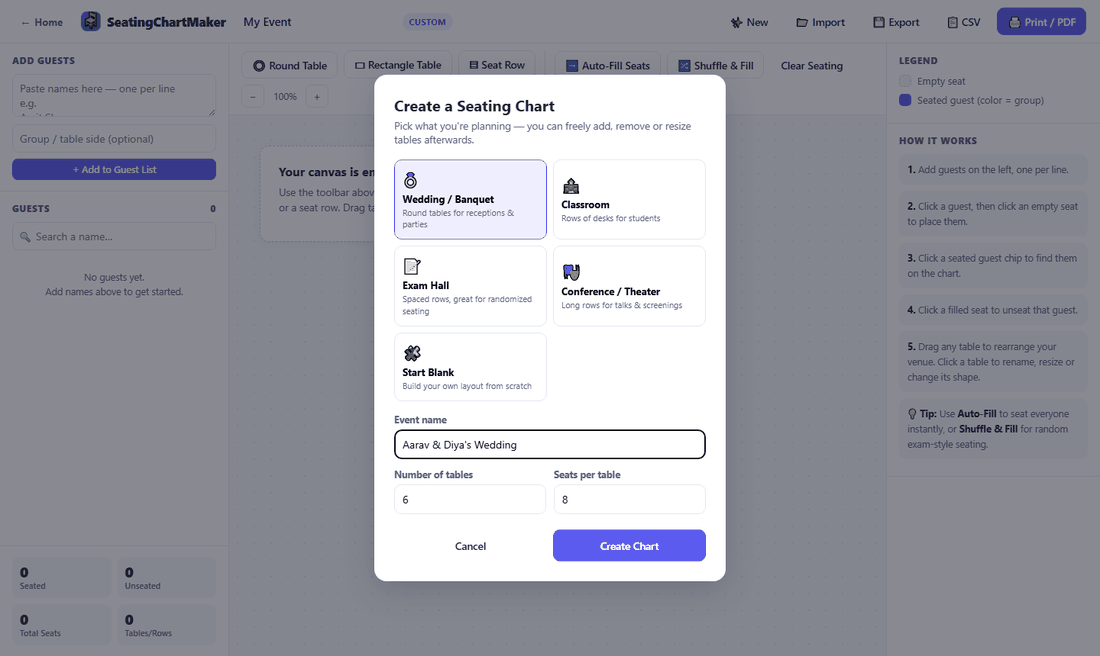
Open the planner and pick what you're actually seating — a wedding, a classroom, an exam hall, a conference, or a blank canvas. Each one loads with a sensible starting point (here, six round tables for a wedding reception) so you're not staring at an empty grid deciding where to begin.
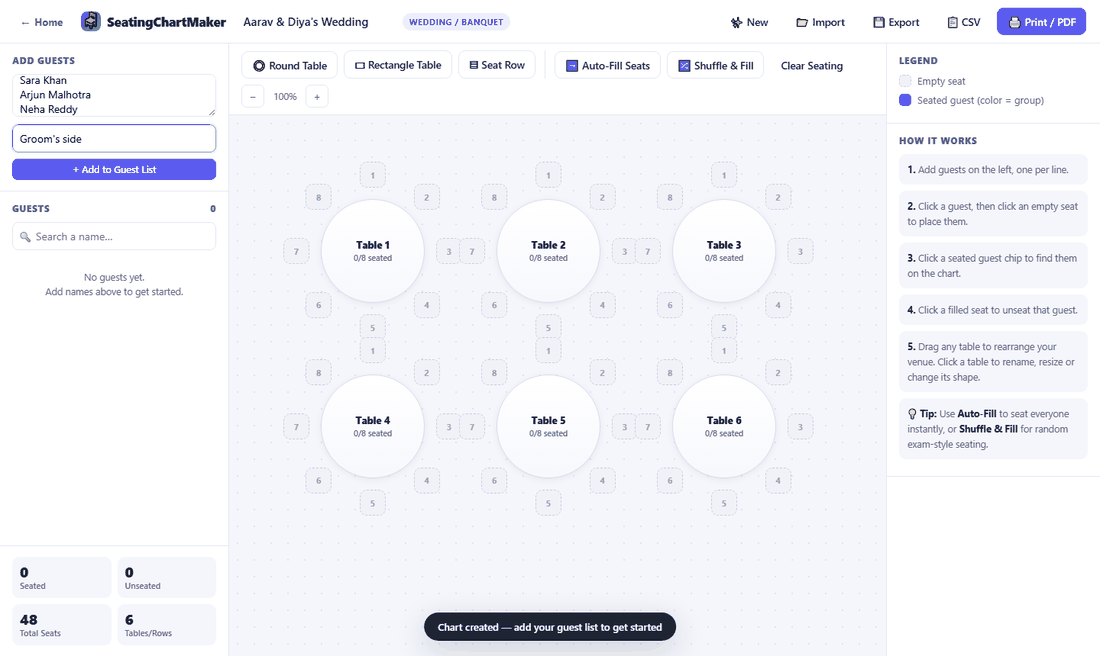
Copy your names straight out of Excel, Google Sheets, or a text file and paste them into the box on the left — one name per line. Add an optional group label like "Groom's side" or "Table 4 VIPs" before you hit Add, and every guest in that batch gets tagged together.
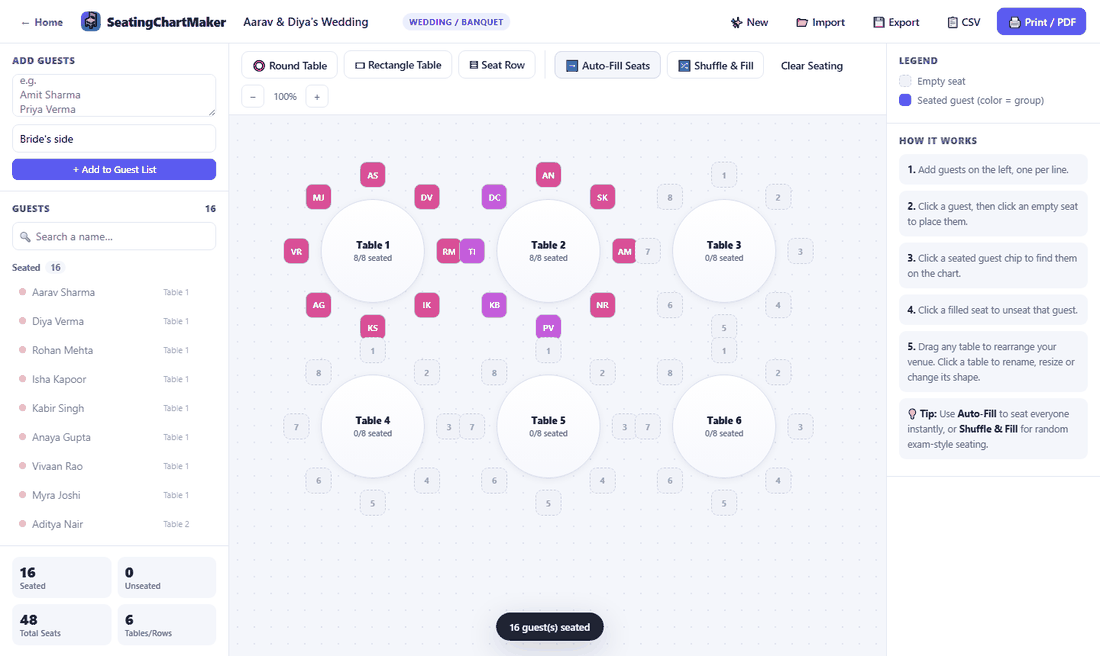
Click a guest, then click a seat to place them by hand — or press Auto-Fill and let the planner seat all 16 guests in one go, like it just did here. Notice the colors: pink is the groom's side, purple is the bride's, assigned automatically the moment you added the group label.
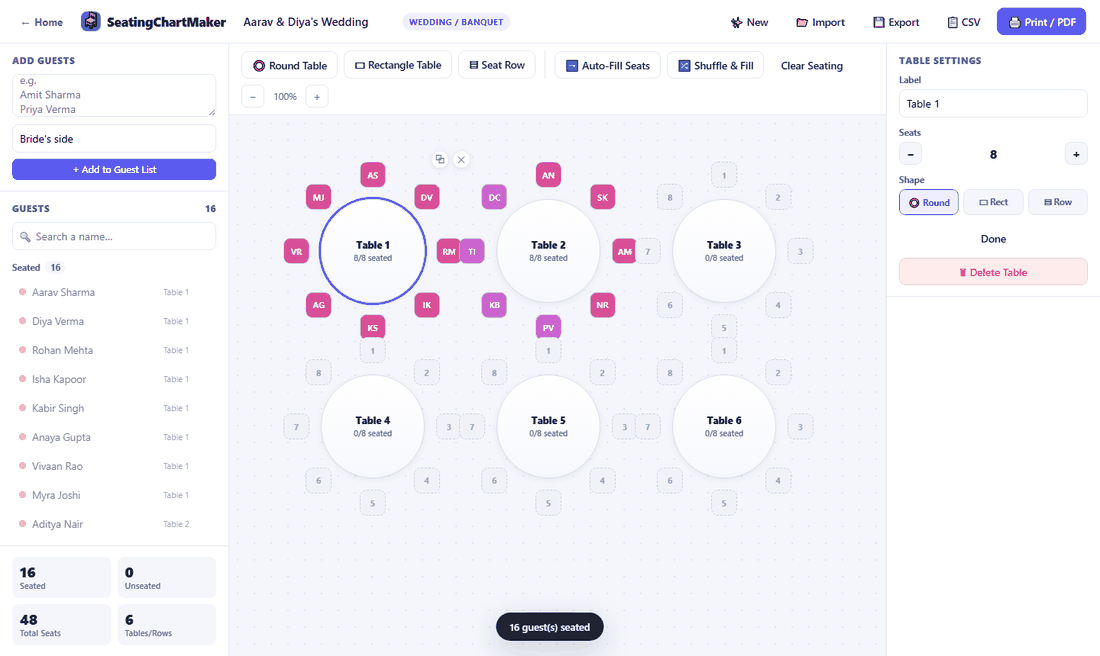
Click any table to rename it, add or remove seats, or switch its shape entirely — round to rectangle, table to row — without losing the guests already seated there. Drag the whole table somewhere else on the canvas if the layout needs to match your actual room better.
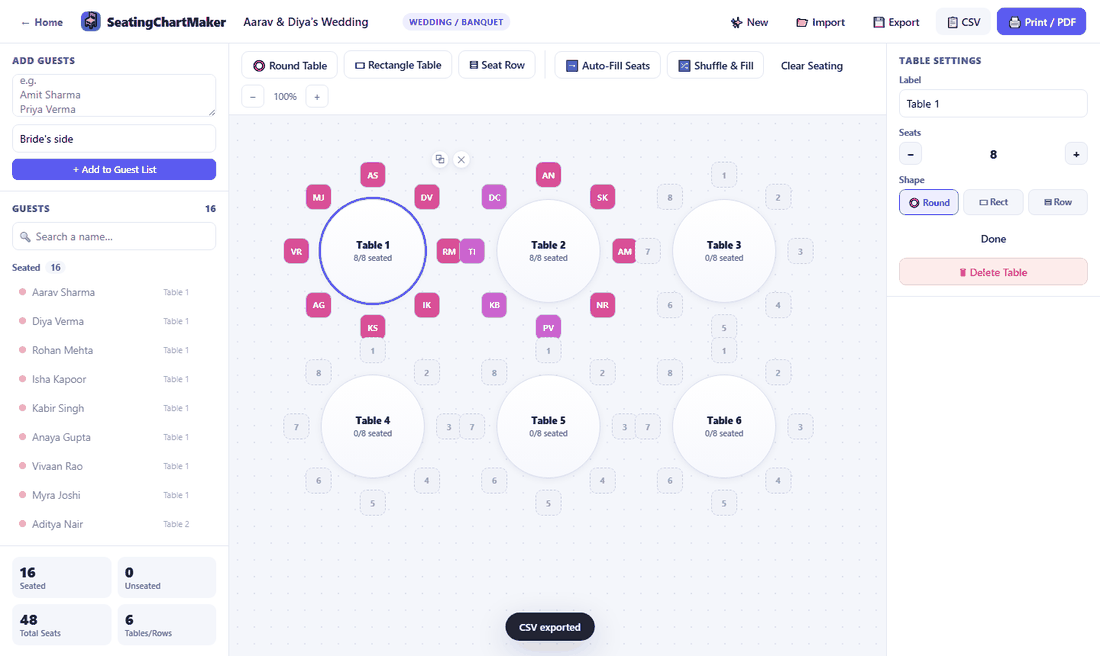
Export a CSV of names and table numbers for your caterer or invigilators, save a JSON backup you can re-import later, or print a clean chart with the toolbar hidden. Or don't — everything autosaves in your browser, so it'll still be here next time either way.
A focused set of tools that actually gets a seating chart finished — not a bloated diagramming app.
Click a guest, then click a seat — that's it. No fiddly drag-and-drop required, though tables can still be dragged freely around your venue.
Randomize seating in one click — ideal for exam halls where you need to keep friends apart, or for quickly trying a fresh table arrangement.
Tag guests by family, class, department or team, and the chart color-codes seats automatically so patterns are easy to spot.
Export a clean CSV list for staff or invigilators, back up your chart as a file, or print a ready-to-hang seating plan.
Your chart saves itself in your browser while you work. Close the tab, come back later — nothing is lost.
Round tables, rectangular banquet tables, or straight seat rows — mix and match freely, and resize or relabel any of them at any time.
The questions people usually ask before their first chart, and a few they ask right after.
No — open the planner and start building straight away. It runs entirely in your browser, so there's no download, no app store listing, and no account to set up first.
It's free, full stop. There's no seat cap nudging you toward an upgrade and no "pay to export" catch — round tables, rectangular tables, rows, shuffle, and both export formats are all there from the first table you add.
No. Everything runs client-side, so names, groups, and table layouts stay in your browser's local storage rather than on a server somewhere. See the Privacy Policy if you want the specifics.
No — your layout autosaves as you work, so reopening the planner on the same browser and device picks up right where you left off. For a copy you can keep long-term or move to another computer, use Export to save a file and Import to load it back in.
Paste your whole list at once, one name per line, and the planner splits it into individual guests automatically. Copy a column straight out of Excel or Google Sheets — there's no file upload step needed.
Click a seated name to send them back to the guest list, then click them again to place them somewhere else. Nothing is locked in, and Shuffle can re-randomize anyone still unseated whenever you want a fresh arrangement.
Round tables, rectangular tables, and straight rows can all sit on the same chart. Add whichever combination matches your actual room and drag each one to where it really goes.
It works fine on tablets and larger phones for a quick look or small edit. For serious planning — a wedding with a dozen tables, or a 200-seat exam hall — a laptop or desktop screen makes precise seat placement a lot easier.
 SeatingChartMaker